
Appearance
Animation Event
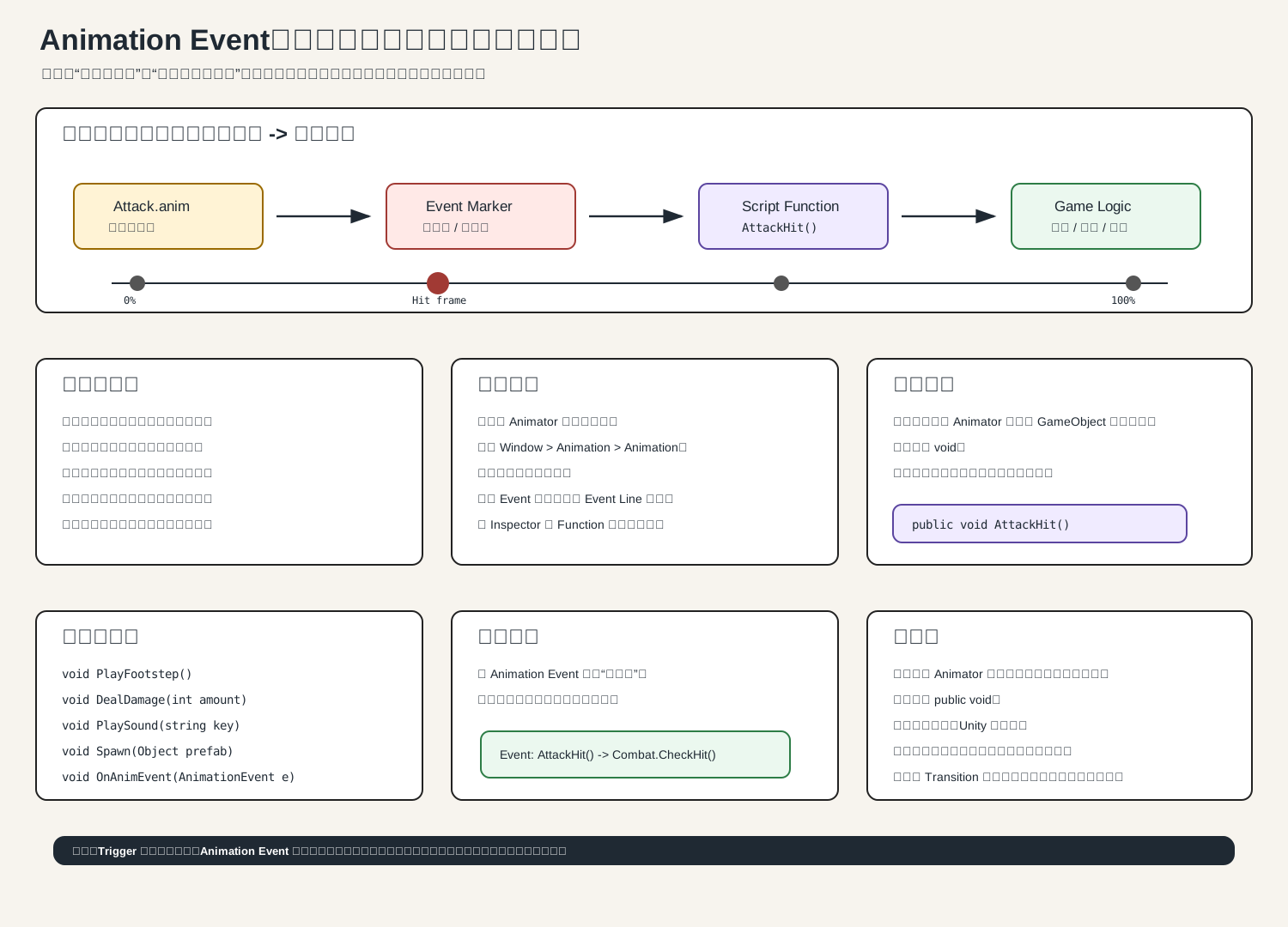
一句话理解
Animation Event 是:动画播放到某一帧时,自动调用脚本函数。
比如攻击动画:
c
抬手 -> 挥刀 -> 刀碰到敌人 -> 收刀真正造成伤害不应该发生在你按下攻击键那一刻,而应该发生在“刀碰到敌人”的那一帧。这个时间点就适合用 Animation Event。
常见用途
攻击命中:AttackHit()
脚步声:PlayFootstep()
发射子弹:Shoot()
播放特效:SpawnEffect()
开门音效:PlayDoorSound()
动画结束通知:OnAttackFinished()怎么添加
c
1. 选中场景里带 Animator 的 GameObject
2. 打开 Window > Animation > Animation
3. 选择某个 Animation Clip,比如 Attack.anim
4. 把时间轴拖到命中帧
5. 点击 Event 按钮,或右键 Event Line 添加事件
6. 在 Inspector 的 Function 里选择要调用的函数函数怎么写
最简单:
c
using UnityEngine;

public class PlayerAnimationEvents : MonoBehaviour
{
    public void AttackHit()
    {
        Debug.Log("攻击命中帧:现在检测伤害");
    }

    public void PlayFootstep()
    {
        Debug.Log("播放脚步声");
    }
}注意:这个脚本通常要挂在同一个带 Animator 的 GameObject 上,否则事件面板可能找不到函数。
支持参数
Unity 的 Animation Event 支持无参数或一个参数。
可以这样:
c
public void DealDamage(int amount)
{
    Debug.Log("造成伤害:" + amount);
}

public void PlaySound(string soundName)
{
    Debug.Log("播放音效:" + soundName);
}

public void SetEffectScale(float scale)
{
    Debug.Log("特效缩放:" + scale);
}更高级一点,可以接收 AnimationEvent:
c
using UnityEngine;

public class AnimationEventReceiver : MonoBehaviour
{
    public void ReceiveEvent(AnimationEvent e)
    {
        Debug.Log(e.stringParameter);
        Debug.Log(e.intParameter);
        Debug.Log(e.floatParameter);
        Debug.Log(e.objectReferenceParameter);
    }
}攻击命中案例
c
using UnityEngine;

public class PlayerAttackEvents : MonoBehaviour
{
    public Transform hitPoint;
    public float hitRadius = 0.5f;
    public LayerMask enemyLayer;
    public int damage = 10;

    public void AttackHit()
    {
        Collider2D[] enemies = Physics2D.OverlapCircleAll(
            hitPoint.position,
            hitRadius,
            enemyLayer
        );

        foreach (Collider2D enemy in enemies)
        {
            Debug.Log("打到敌人:" + enemy.name);
        }
    }
}然后你在 Attack.anim 的刀砍到敌人的那一帧添加 Animation Event,选择:
c
AttackHit这样攻击逻辑就和动画命中点对齐了。
和 Trigger 的区别
Trigger 是让 Animator 进入某个动画:
animator.SetTrigger("Attack");意思是:
开始播放攻击动画Animation Event 是动画播放到某一帧时调用函数:
Attack.anim 播到第 12 帧 -> AttackHit()所以二者关系是:
Trigger 负责进入攻击动画
Animation Event 负责攻击命中帧常见坑
c
函数不是 public void,找不到
函数参数超过一个,找不到
脚本没挂在 Animator 同一个物体上,找不到
事件放在循环动画里,每一圈都会触发
攻击动画被切走,后面的事件不会执行
函数名改了,但 Animation Event 还引用旧名字
把复杂战斗逻辑全塞进动画事件,后期难维护记住这句:
c
Animation Event 适合做“动画时间点通知”,不要把它当成完整逻辑系统。参考:Unity 官方 Add an Animation Event、AnimationEvent API、Imported clip events。