
Appearance
方法
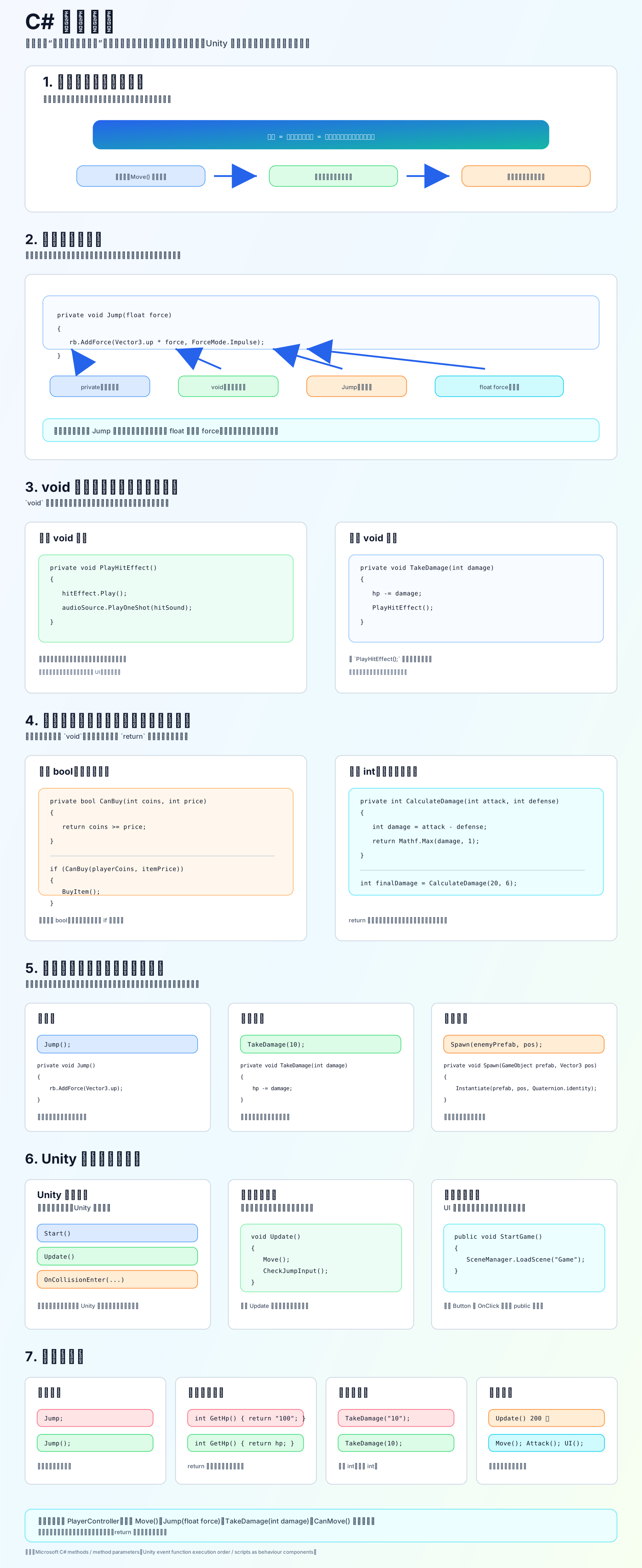
方法是什么
方法就是“把一段代码起名字”。以后你调用这个名字,这段代码就会执行。
c
private void Jump()
{
    Debug.Log("玩家跳跃");
}调用方法:
c
Jump();方法的基本结构
c
访问修饰符 返回类型 方法名(参数列表)
{
    方法体;
}例如:
c
private void TakeDamage(int damage)
{
    hp -= damage;
}这里:
private:只有当前类内部能调用void:不返回结果TakeDamage:方法名int damage:参数{ }:方法体
void 方法
void 表示只做事,不返回结果。
c
private void PlayHitEffect()
{
    hitEffect.Play();
    audioSource.PlayOneShot(hitSound);
}适合:移动、跳跃、播放音效、打开 UI、生成物体。
有返回值的方法
如果不是 void,就要用 return 交回一个值。
c
private bool CanBuy(int coins, int price)
{
    return coins >= price;
}使用:
c
if (CanBuy(playerCoins, itemPrice))
{
    BuyItem();
}Unity 里的方法
Unity 脚本中常见三类方法:
Unity 自动调用:
c
void Start()
{
}

void Update()
{
}自己主动调用:
c
void Update()
{
    Move();
    CheckJumpInput();
}外部系统调用:
c
public void StartGame()
{
    SceneManager.LoadScene("Game");
}比如 UI Button 的 OnClick 可以调用 public 方法。
新手口诀
方法名说“要做什么”。 参数是“外面传进来的数据”。 return 是“方法交回去的结果”。 void 是“只做事,不交结果”。 调用方法要写括号:Jump();
小练习
写一个 PlayerController.cs,包含:
c
private void Move()
{
}

private void Jump(float force)
{
}

private void TakeDamage(int damage)
{
}

private bool CanMove()
{
    return !isDead;
}参考链接: