
Appearance
常量
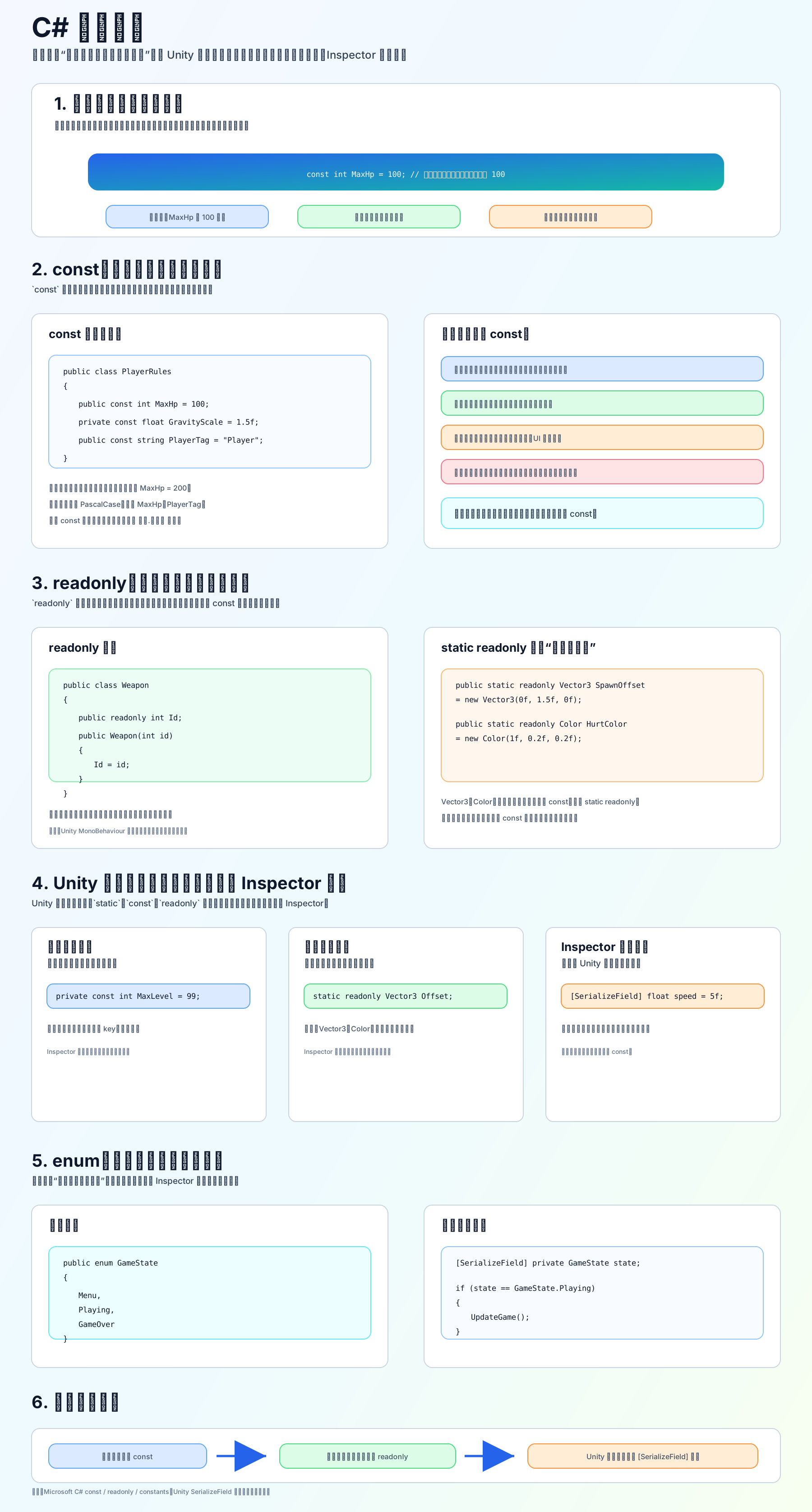
常量是什么
常量就是“有名字、不能随便改的值”。
普通变量可以改:
c
int hp = 100;
hp = 80;常量不能改:
c
const int MaxHp = 100;
MaxHp = 200; // 错误const
const 是编译时就确定的固定值。
c
public const int MaxHp = 100;
public const float MoveSpeed = 5.5f;
public const string PlayerTag = "Player";适合用来保存:
- 最大等级:
MaxLevel - 存档 key:
CoinsSaveKey - 标签名:
PlayerTag - 固定规则值:
GridSize - 固定字符串:
IdleAnimName
注意:const 只能用于编译时就知道的值,不能这样写:
c
const Vector3 SpawnPoint = new Vector3(0, 1, 0); // 错
const string Path = Application.persistentDataPath; // 错readonly
readonly 是“初始化之后不能再改”。
c
public readonly int id;

public PlayerData(int playerId)
{
    id = playerId;
}如果是全局共享、运行时初始化后不改,经常用:
c
public static readonly Vector3 SpawnOffset = new Vector3(0f, 1.5f, 0f);
public static readonly Color HurtColor = Color.red;一句话区分:
c
const          // 编译前就知道
readonly      // 运行时可以确定,之后不再改
static readonly // 全局共享的运行时只读值Unity 里最重要的区别
如果一个值要在 Inspector 里调,不要用 const:
c
[SerializeField] private float moveSpeed = 5f;
[SerializeField] private int damage = 10;因为 Unity 序列化普通字段时,static、const、readonly 都不适合作为 Inspector 可编辑字段。
所以:
- 真正固定规则:用
const - 运行时确定后不改:用
readonly - 想在 Inspector 面板里调:用
[SerializeField] private
enum 也是常量思维 枚举是一组有名字的整数常量,常用来表示状态:
c
public enum GameState
{
    Menu,
    Playing,
    GameOver
}使用:
c
[SerializeField] private GameState state;

if (state == GameState.Playing)
{
    UpdateGame();
}新手口诀
const:永远不变,编译时就知道。 readonly:初始化后不变,运行时才知道也可以。 [SerializeField]:不是常量,是给 Unity 面板调参数。
参考链接: