
Appearance
PlayerPrefs
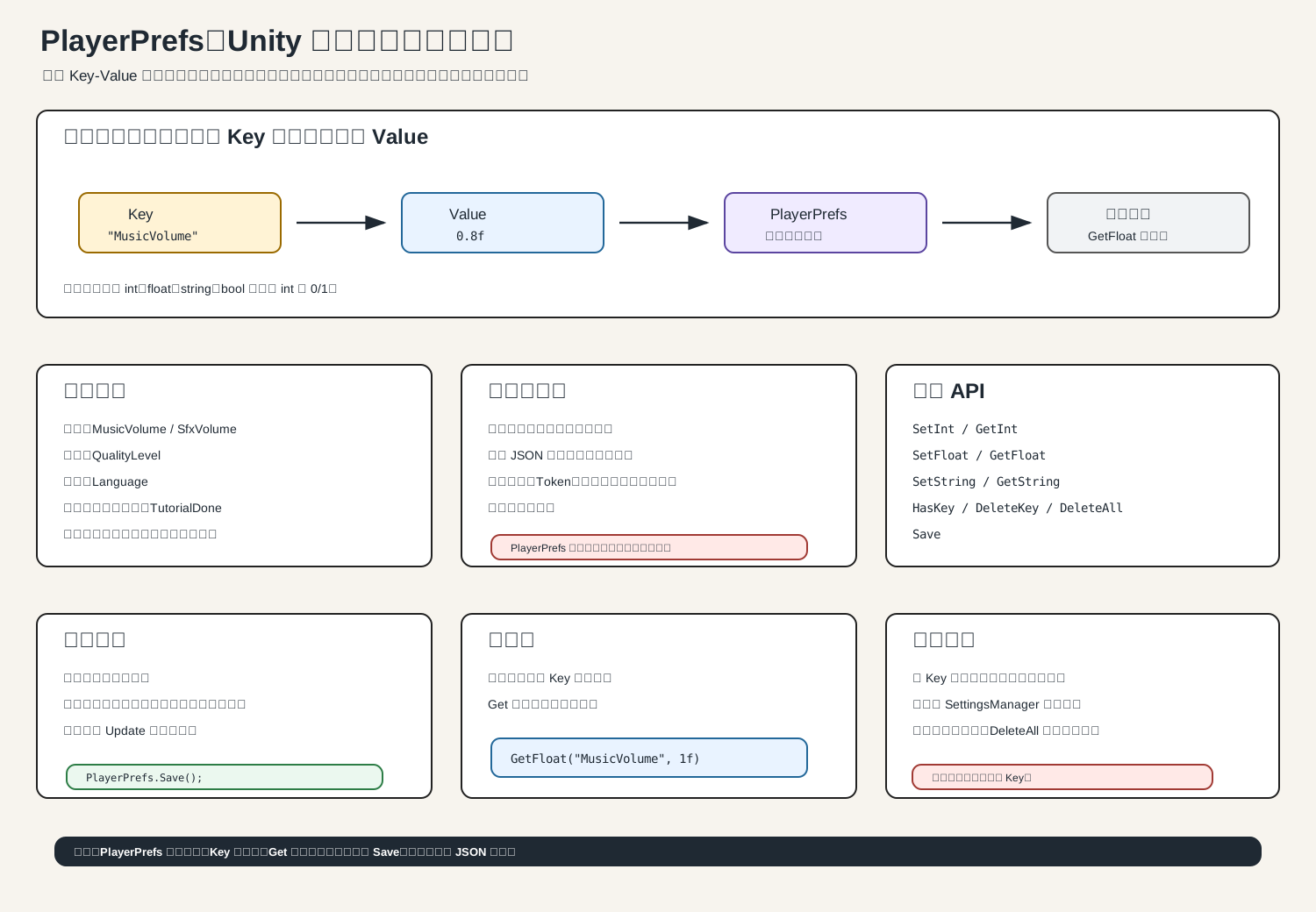
一句话理解
PlayerPrefs 是 Unity 内置的“小型本地偏好存储”。
它适合保存:
c
音量
画质
语言
最高分
新手引导是否完成
上次选择的关卡不适合保存:
c
完整背包
任务进度
地图状态
账号密码
付费凭证
重要反作弊数据官方文档也说明:PlayerPrefs 只能存 int、float、string,而且本地无加密,不要存敏感数据。
常用 API
c
PlayerPrefs.SetInt("HighScore", 100);
PlayerPrefs.SetFloat("MusicVolume", 0.8f);
PlayerPrefs.SetString("Language", "zh-CN");

int score = PlayerPrefs.GetInt("HighScore", 0);
float volume = PlayerPrefs.GetFloat("MusicVolume", 1f);
string language = PlayerPrefs.GetString("Language", "en");检查、删除、保存:
c
bool exists = PlayerPrefs.HasKey("HighScore");

PlayerPrefs.DeleteKey("HighScore");
PlayerPrefs.DeleteAll();

PlayerPrefs.Save();DeleteAll() 很危险,通常只在调试或重置数据时用。
bool 怎么存
PlayerPrefs 没有 SetBool,用 int 代替:
c
PlayerPrefs.SetInt("TutorialDone", true ? 1 : 0);

bool tutorialDone = PlayerPrefs.GetInt("TutorialDone", 0) == 1;推荐写法:封装 Key
不要到处手写字符串,容易拼错。
c
using UnityEngine;

public static class GamePrefs
{
    private const string MusicVolumeKey = "MusicVolume";
    private const string SfxVolumeKey = "SfxVolume";
    private const string TutorialDoneKey = "TutorialDone";

    public static float MusicVolume
    {
        get => PlayerPrefs.GetFloat(MusicVolumeKey, 1f);
        set => PlayerPrefs.SetFloat(MusicVolumeKey, value);
    }

    public static float SfxVolume
    {
        get => PlayerPrefs.GetFloat(SfxVolumeKey, 1f);
        set => PlayerPrefs.SetFloat(SfxVolumeKey, value);
    }

    public static bool TutorialDone
    {
        get => PlayerPrefs.GetInt(TutorialDoneKey, 0) == 1;
        set => PlayerPrefs.SetInt(TutorialDoneKey, value ? 1 : 0);
    }

    public static void Save()
    {
        PlayerPrefs.Save();
    }
}使用:
c
GamePrefs.MusicVolume = 0.6f;
GamePrefs.TutorialDone = true;
GamePrefs.Save();什么时候调用 Save
Unity 会在程序退出时自动保存,但重要设置改完后,建议手动:
c
PlayerPrefs.Save();适合时机:
c
音量滑条松开后
点击确认设置后
通关后写最高分
新手引导完成后
退出设置菜单时不要放在:
c
Update()每帧保存没有必要,还会浪费性能。
音量保存案例
c
using UnityEngine;
using UnityEngine.UI;

public class VolumeSetting : MonoBehaviour
{
    public Slider musicSlider;

    private const string MusicVolumeKey = "MusicVolume";

    private void Start()
    {
        musicSlider.value = PlayerPrefs.GetFloat(MusicVolumeKey, 1f);
        musicSlider.onValueChanged.AddListener(SetMusicVolume);
    }

    private void SetMusicVolume(float value)
    {
        PlayerPrefs.SetFloat(MusicVolumeKey, value);
        PlayerPrefs.Save();
    }
}实际项目里可以在滑条拖动结束时再保存,这样更干净。
常见坑
c
Key 拼错,读不到值
忘记给 Get 设置默认值
用 PlayerPrefs 存完整游戏进度
把 Save 放到 Update 每帧调用
以为 PlayerPrefs 是加密的
DeleteAll 把所有设置清空
不同平台存储位置不同,手动找文件会困惑记住口诀:
c
PlayerPrefs 存小设置。
完整存档用 JSON 文件。
Key 用常量。
Get 要默认值。
重要时刻 Save。
敏感数据别放 PlayerPrefs。参考:Unity 官方 PlayerPrefs、PlayerPrefs.Save。