
Appearance
反射与特性
核心理解
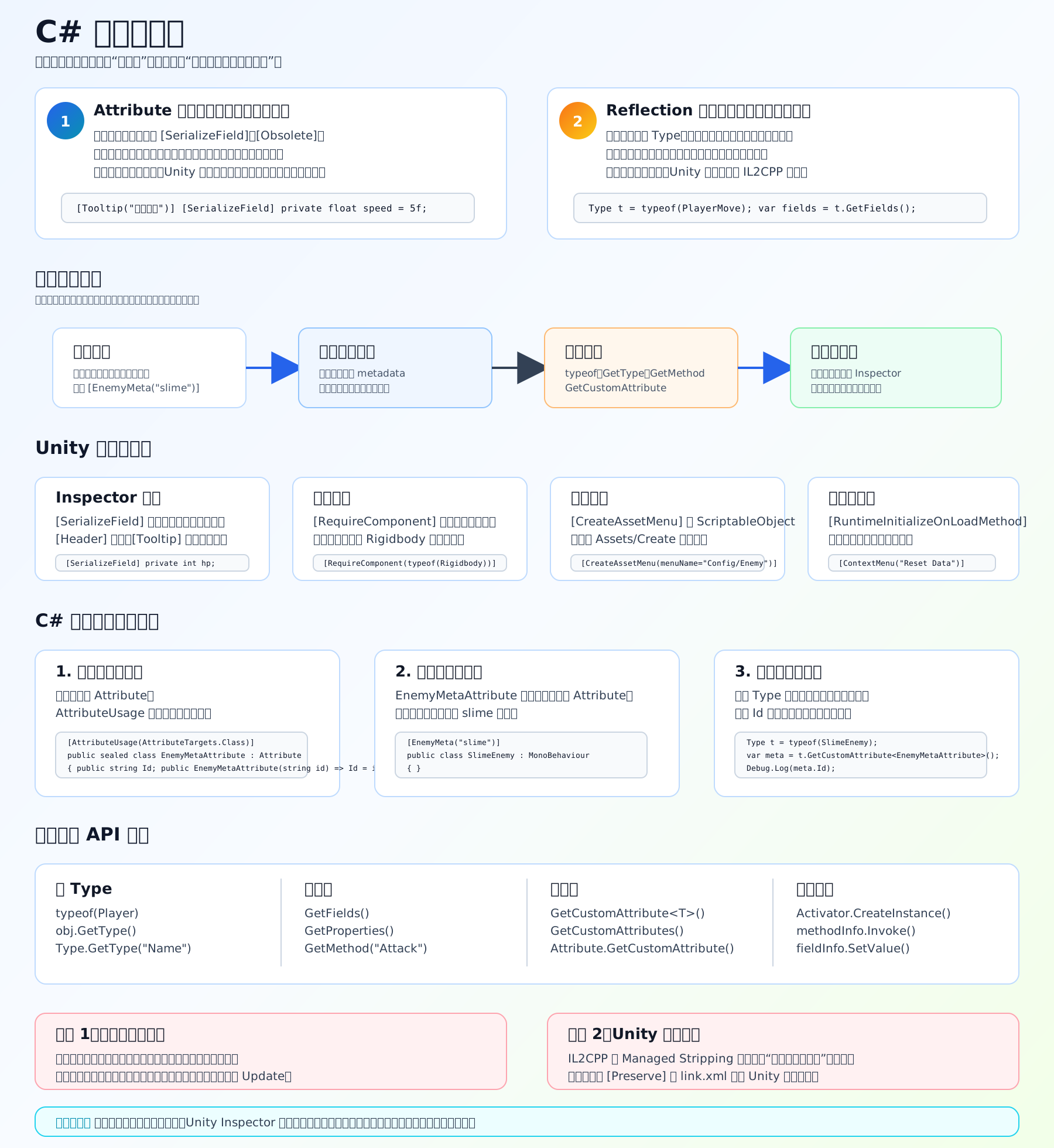
Attribute 是“贴标签”,Reflection 是“运行时读标签、读类型结构”。
[SerializeField] private float speed = 5f;这里 [SerializeField] 就是特性。它不会自己执行逻辑,而是告诉 Unity:“这个 private 字段也要序列化,并显示在 Inspector 里。”
反射则是这样:
c
Type type = typeof(PlayerMove);
var fields = type.GetFields();它可以在程序运行时查看一个类有哪些字段、方法、属性、特性。
自定义特性例子
c
using System;
using System.Reflection;
using UnityEngine;

[AttributeUsage(AttributeTargets.Class)]
public sealed class EnemyMetaAttribute : Attribute
{
    public string Id { get; }

    public EnemyMetaAttribute(string id)
    {
        Id = id;
    }
}

[EnemyMeta("slime")]
public class SlimeEnemy : MonoBehaviour
{
}

public class TestReflection : MonoBehaviour
{
    void Start()
    {
        var meta = typeof(SlimeEnemy)
            .GetCustomAttribute<EnemyMetaAttribute>();

        Debug.Log(meta.Id); // slime
    }
}注意:类名叫 EnemyMetaAttribute,使用时可以写成 [EnemyMeta],Attribute 后缀可以省略。
Unity 里常见特性
[SerializeField]:private 字段也能显示在 Inspector,并参与 Unity 序列化。 [Header]:给 Inspector 字段加标题分组。 [Tooltip]:鼠标悬停时显示说明。 [RequireComponent]:脚本挂上去时,自动补齐依赖组件。 [CreateAssetMenu]:让 ScriptableObject 出现在 Assets/Create 菜单。 [ContextMenu]:给组件右键菜单加一个可执行方法。 [RuntimeInitializeOnLoadMethod]:游戏启动时自动调用某个静态方法。 [Preserve]:告诉 Unity 构建裁剪不要删掉这个类或方法。
反射常用 API
c
typeof(Player)          // 拿类型
obj.GetType()           // 从对象拿类型
type.GetFields()        // 拿字段
type.GetProperties()    // 拿属性
type.GetMethod("Run")   // 拿方法
method.Invoke(obj, null) // 调用方法Unity 项目里的注意点
反射不要放在 Update 里频繁跑。它比直接调用慢,也容易产生额外开销。正确做法通常是:游戏启动时或编辑器工具里扫描一次,然后把结果缓存到字典里。
另外,Unity 构建时会做 managed code stripping。只靠反射访问的代码,Unity Linker 可能判断“没人用”,然后把它删掉。遇到这种情况要用 [Preserve] 或 link.xml 保留。
参考链接