
Appearance
ArryaList
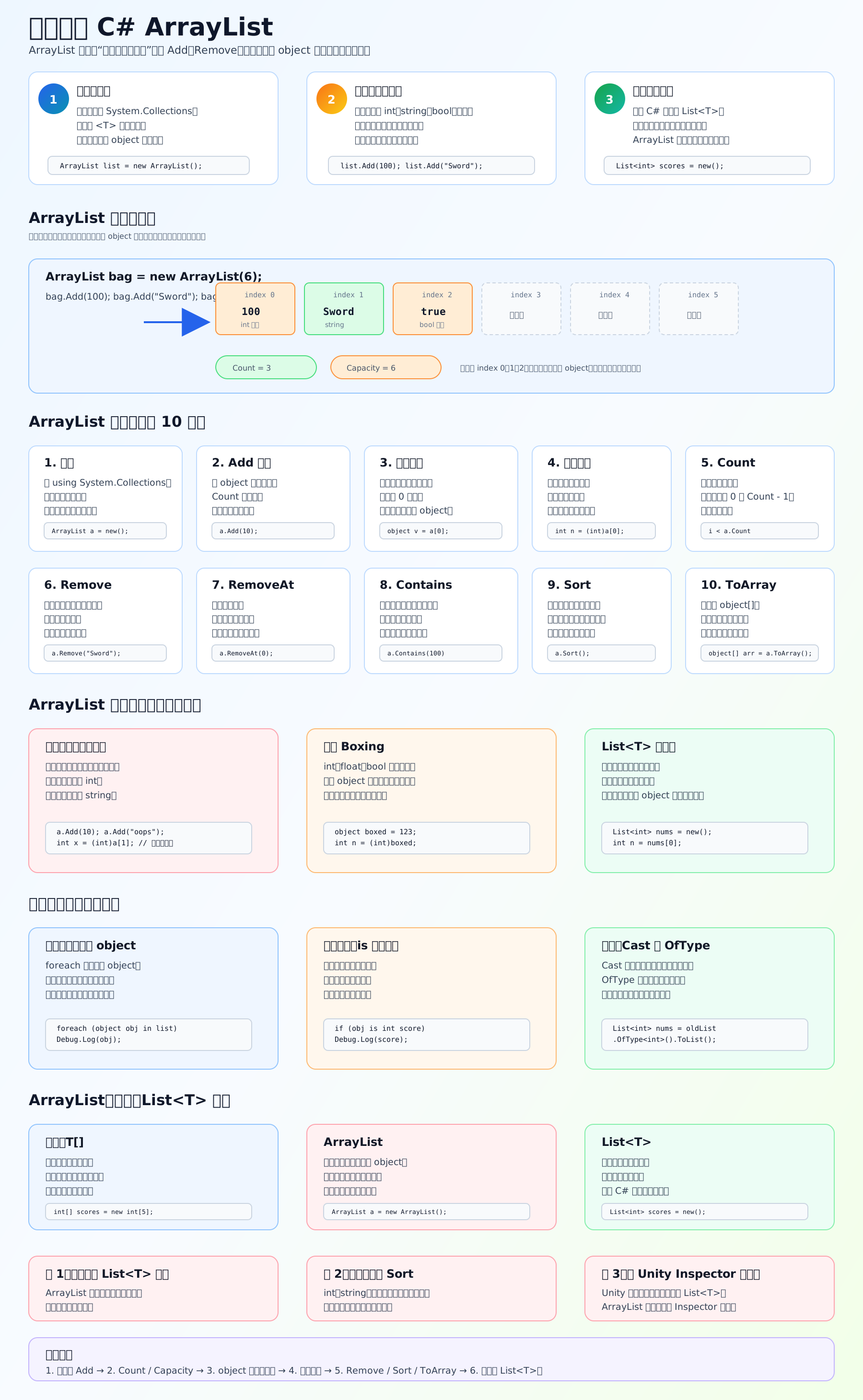
ArrayList 是什么
ArrayList 是 C# 早期的“长度可变列表”。它像 List<T> 一样可以 Add、Remove,但它没有泛型类型限制,里面的元素都按 object 存。
c
using System.Collections;

ArrayList list = new ArrayList();

list.Add(100);
list.Add("Sword");
list.Add(true);这能运行,但问题也在这里:它可以混放不同类型。
取值为什么麻烦
从 ArrayList 里取出来的东西是 object,你要自己转回原类型。
c
int score = (int)list[0];
string itemName = (string)list[1];
bool isOpen = (bool)list[2];如果转错类型,就会运行时报错:
c
int wrong = (int)list[1]; // list[1] 是 string,运行时报错更安全的写法
c
object value = list[0];

if (value is int score)
{
    Debug.Log(score);
}这样先判断类型,再使用,比较稳。
ArrayList 最大问题
它类型不安全。编译器帮不了你检查“里面到底是什么”。 而且 int、float、bool 这类值类型放进 ArrayList 时会发生装箱,可能带来额外开销。
现代 C# 更推荐:
c
List<int> scores = new List<int>();

scores.Add(100);
int score = scores[0];List<int> 只能放 int,不需要每次强制转换,也更适合新项目。
Unity 里怎么理解
如果你在旧教程、旧插件、旧项目里看到 ArrayList,要能读懂。 但自己写 Unity 新代码,优先用:
c
List<GameObject> enemies;
List<ItemData> inventory;
List<int> scores;Unity Inspector 常规序列化也更适合数组和 List<T>,不建议把 ArrayList 当 Inspector 字段。
学习顺序
先学 ArrayList 的创建和 Add,再学 Count / Capacity,然后理解 object、强制转换、装箱拆箱,最后学会把旧代码迁移成 List<T>。
参考链接Microsoft ArrayListMicrosoft CollectionsMicrosoft ListMicrosoft Boxing and UnboxingUnity Script Serialization Rules