
Appearance
属性
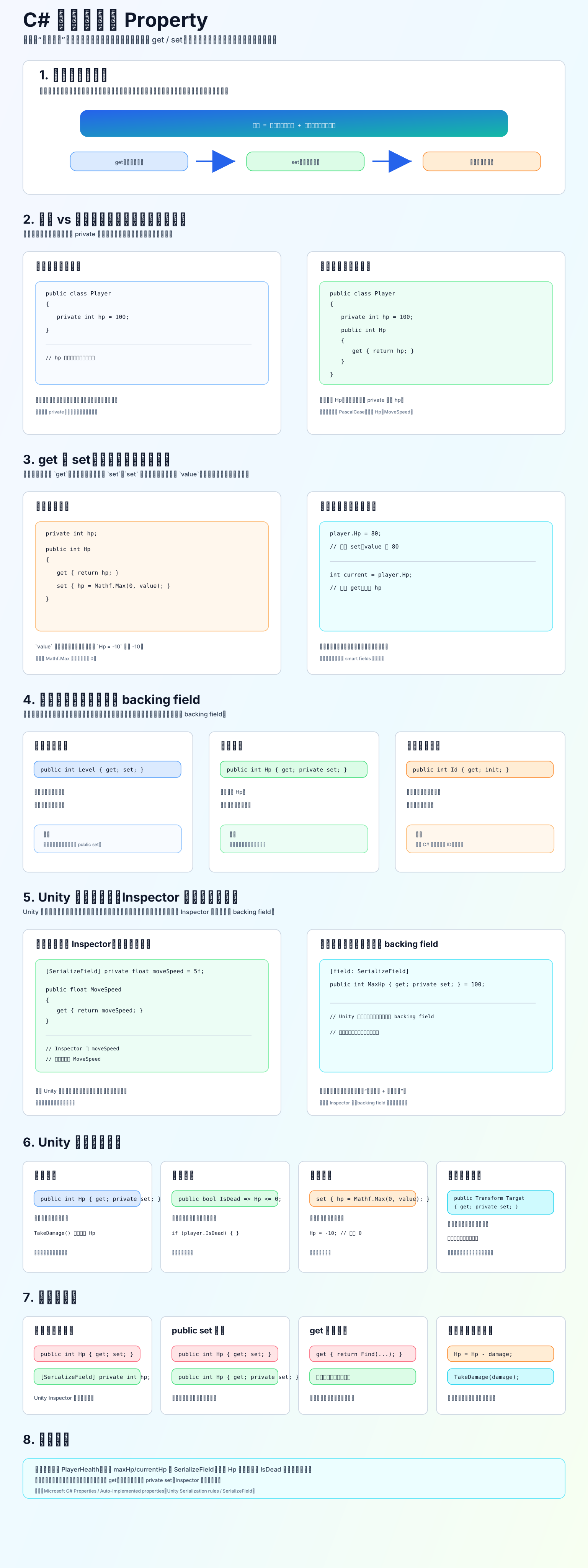
属性是什么
属性像“智能字段”。外部用起来像字段,但内部会经过 get 和 set。
c
private int hp = 100;

public int Hp
{
    get { return hp; }
    set { hp = Mathf.Max(0, value); }
}读取:
c
int current = player.Hp; // 执行 get赋值:
c
player.Hp = 80; // 执行 set,value 是 80字段 vs 属性
字段是真正存数据的地方:
c
private int hp;属性是访问数据的入口:
c
public int Hp
{
    get { return hp; }
}你可以理解成: 字段是仓库,属性是仓库门口的管理员。
常用写法
外部能读,不能随便改:
c
public int Hp { get; private set; }计算属性:
c
public bool IsDead => Hp <= 0;有校验的属性:
c
private int hp;

public int Hp
{
    get { return hp; }
    private set { hp = Mathf.Max(0, value); }
}Unity 里特别重要
Unity Inspector 主要序列化字段,不是属性本身。
推荐写法:
c
[SerializeField] private float moveSpeed = 5f;

public float MoveSpeed
{
    get { return moveSpeed; }
}意思是:
moveSpeed:给 Inspector 调MoveSpeed:给其他脚本安全读取
Unity 也支持这种写法:
c
[field: SerializeField]
public int MaxHp { get; private set; } = 100;但新手阶段我更建议你先用:
c
[SerializeField] private int maxHp;
public int MaxHp => maxHp;更直观,也更容易调试。
新手口诀
字段负责存。 属性负责管。 get 负责读。 set 负责写。 重要状态用 private set。 Inspector 优先用字段,外部访问优先用属性。
参考链接: